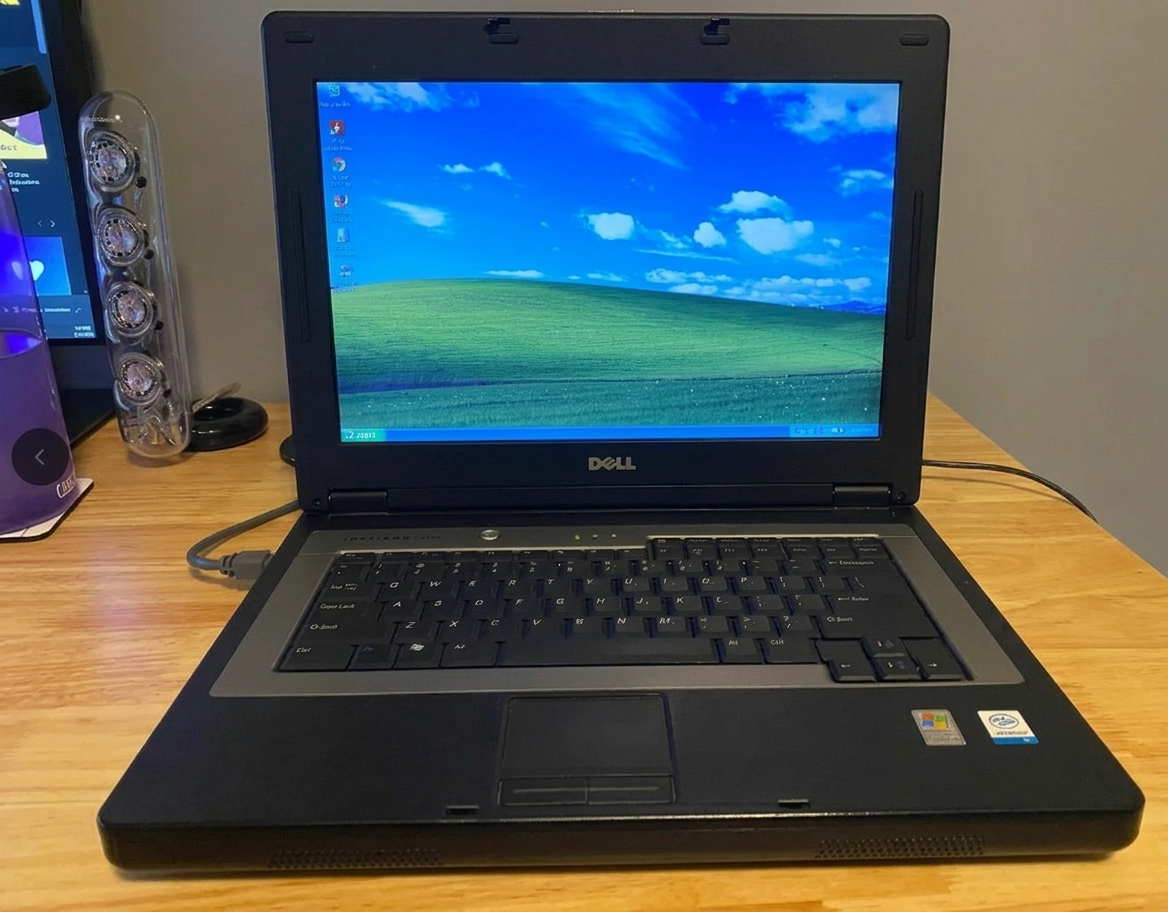
Why Your Old Laptop Is Slower Than Ever (And the KES 3,000 Fix Most People Miss)

Y
our laptop didn't suddenly become useless. It's probably just stuck with the one component that ages worse than everything else inside it.
If you've tried cleaning up files, uninstalling apps, running every "optimizer" you can find, and it still takes five minutes to boot, the problem isn't Windows. It isn't a virus. It's the spinning hard drive inside it—and replacing it costs less than you think.
The Real Culprit: A Mechanical Drive in a 2026 World
Most budget and mid-range laptops sold in Kenya over the past decade shipped with a mechanical hard drive (HDD). These drives have physical moving parts: a spinning platter and a read/write head that physically moves across it to find your data. That mechanical movement is why your laptop feels like it's thinking before it does anything.
A typical 5400RPM laptop HDD reads data at roughly 30–80 MB/s in real-world use. A cheap SATA SSD reads at around 500–550 MB/s . That's not a small difference. It's the difference between waiting and working.
Microsoft's own community answers are blunt about this. When a user with a 7-year-old HP laptop complained it was "unusably slow" despite 16GB RAM and a clean Windows install, the diagnosis was immediate: the hard drive was limited to 30MB/s, and the fix was an SSD . Another user with a Lenovo i3 and 1TB HDD was told the "best possible upgrade" is an SSD, not more RAM .
This is the fix most people miss because they assume slowness means "old laptop" or "needs more RAM." Neither is usually true for boot times and app launches. The drive is the bottleneck.
What KES 3,000 Actually Buys You
Here's where the math gets interesting for Kenyan buyers.
A Lexar NS100 128GB 2.5" SATA SSD is listed at KSh 3,450 from a Nairobi retailer . A 256GB version runs around KSh 8,700 from another local seller . If you want more breathing room, 512GB SATA drives on Jumia Kenya appear in the KSh 7,500–11,000 range depending on the listing and brand .
The KES 3,000 figure in the title is the entry point. A 128GB SSD is enough for Windows, Office, a browser, and your essential files. It's not a media library drive. But for a student or office worker whose laptop is currently unusable, it's the difference between a machine that works and one that sits on a desk gathering dust.
One local price comparison puts it plainly: a KSh 5,000–8,000 SSD upgrade will give an older business laptop "another two to three solid years of productive life—a far better return than buying a new machine" .
How to Know If This Is Your Problem
Before you buy anything, check one thing: does your laptop have a hard drive or an SSD?
On Windows:
Press
Ctrl + Shift + Escto open Task Manager.Go to the Performance tab.
Click Disk.
If it says HDD, you've found your bottleneck. If it says SSD, your slowness has a different cause (likely RAM or software), and this fix won't help you.
You can also listen. Put your ear near the laptop during startup. If you hear a faint whirring or clicking sound, that's a mechanical drive. SSDs are silent.
The Catch: 128GB Is Small (But Manageable)
A 128GB SSD fills up fast. Windows alone takes 30–40GB. Add Office, a browser, and updates, and you're at 60GB before you've saved a single document.
The workaround is simple: keep the old hard drive. Most laptops have a single drive bay, so you'd need an external enclosure (a cheap USB caddy) to turn your old HDD into a portable storage drive. Move your photos, videos, and large files there. Keep the SSD for Windows and programs.
If you can stretch to a 256GB SSD, do it. The extra headroom prevents the new drive from filling up in six months and slowing down again.
What This Fix Won't Do
An SSD will not:
Make games run at higher frame rates (that's your GPU).
Make heavy video editing smooth if your processor is weak.
Fix a laptop that freezes when you have 15 Chrome tabs open (that's RAM).
If your laptop freezes with multiple programs open, you may need more RAM too. But for the specific complaint of "it takes forever to start and open anything," the drive is almost always the answer.
The Nairobi Option: If You Don't Want to DIY
If opening a laptop feels intimidating, Nairobi has repair shops that handle SSD upgrades with data migration included. Priscom Computers on Moi Avenue, for example, advertises SSD fitting with full data migration and a working-machine test, with many straightforward upgrades completed in 30 minutes to an hour when the part is in stock . You pay for the drive plus labor, but you don't risk breaking a ribbon cable or stripping a screw.
For the DIY route, the process is straightforward on most older laptops: open the bottom panel, locate the 2.5" drive bay, disconnect the old drive, swap in the SSD, and reinstall Windows (or clone the old drive beforehand with a USB adapter). YouTube has model-specific guides for almost every HP, Dell, and Lenovo laptop.
The Bottom Line
Your old laptop isn't dead. It's just dragging a mechanical anchor. For under KES 4,000, you can replace the one component that's holding everything else back. That's not a trick. It's not an "optimizer." It's the upgrade most people skip because they assume a new laptop is the only answer.
It usually isn't. Check your disk type in Task Manager. If it says HDD, you've just found your fix.