SSD vs. HDD: The KES 5,000 Upgrade That Will Make Your Old Laptop Feel Brand New

If your laptop takes five minutes to turn on, freezes when you open Chrome, and makes a soft grinding noise when saving a Word document, you probably think it is time to buy a new one. Before you spend KES 40,000 on a replacement, take a breath. The problem is likely just one part: your hard drive.
For about KES 5,000, you can swap out that old, slow part for a modern one. It is the single best upgrade you can make in Kenya today, and it will make a ten-year-old laptop feel faster than a brand new budget machine.
The Difference: HDD vs. SSD
Let us keep this simple.
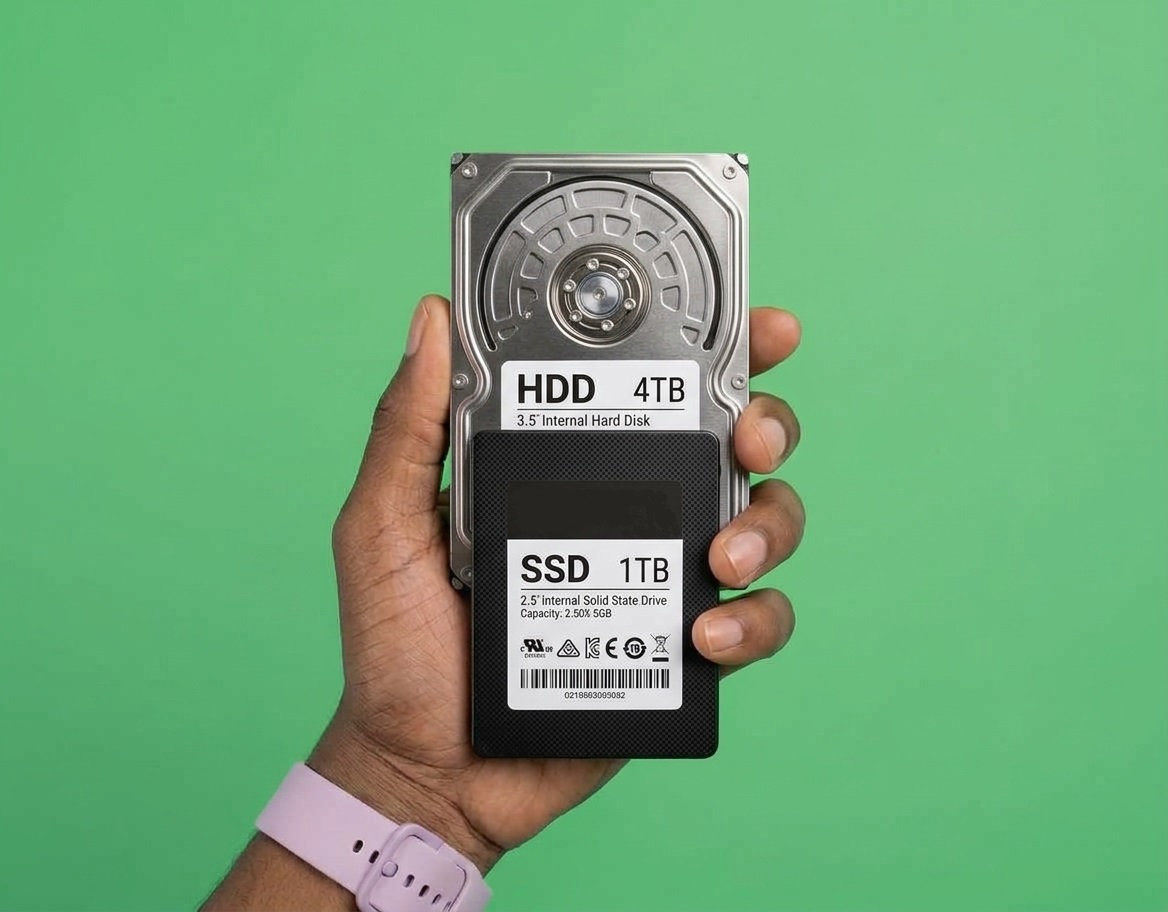
An HDD (Hard Disk Drive) is old technology. Inside, it has a physical spinning disk and a moving metal arm, kind of like a record player. Because parts have to physically move to find your files, it is slow. If you drop your bag, the arm can scratch the disk and destroy your data.
An SSD (Solid State Drive) has no moving parts. It is just a computer chip. It finds your files instantly. It is silent, it does not get hot, and it is incredibly fast.
Why the Upgrade Changes Everything
When you replace an HDD with an SSD, you are not just making the storage faster. You are fixing the biggest bottleneck in your whole computer.
Here is what happens when you upgrade:
Boot Time: Your laptop will go from taking 3 to 5 minutes to start up, to about 15 seconds.
Opening Apps: Clicking on Chrome, Word, or WhatsApp will open them instantly, instead of making you stare at a loading cursor.
Multitasking: When your computer runs out of RAM, it uses the hard drive as backup memory. An SSD handles this so well that an old laptop with 8GB of RAM and an SSD will feel faster than a newer laptop with 16GB of RAM and an HDD.
Battery Life: Because an SSD has no moving parts, it uses less power. You might get an extra 30 to 45 minutes of battery life just from the upgrade.
The KES 5,000 Math
Here is the best part. You do not need to buy a new laptop.
In Nairobi right now, a 256GB SSD costs between KES 3,000 and KES 4,500. A 512GB SSD costs around KES 5,500 to KES 7,000.
If you take your laptop to a repair shop in town (like those along Tom Mboya Street or in Ngara), they will usually charge you KES 1,000 to KES 2,000 to clone your old drive to the new one and install it.
For a total of about KES 5,000 to KES 6,000, you have essentially bought a brand new computer. Compare that to spending KES 35,000 on a new laptop, and the choice is obvious.
How to Know If Your Laptop Can Be Upgraded
Almost any laptop made in the last 10 years can be upgraded to an SSD. However, there is one catch: some modern, super-thin laptops have the storage soldered directly to the motherboard. You cannot change those.
If you have a standard laptop (especially a refurbished HP, Lenovo, or Dell), it is almost certainly upgradable. Before you buy the SSD, do a quick YouTube search for your exact laptop model (e.g., "HP EliteBook 840 G5 SSD replacement"). If you see a video of someone opening the back with a screwdriver, you are good to go.
What About the Data on My Old Drive?
You have two options.
Clone it: The repair shop will connect your new SSD, copy everything from your old hard drive exactly as it is, and put the new drive in. You turn on the laptop, and everything is exactly where you left it, just 10 times faster.
Clean Install: If your old Windows was full of viruses or bloatware, you can just install a fresh copy of Windows on the new SSD and copy your personal files over later.
If you are doing it yourself, you will need a small SATA-to-USB cable (about KES 500 on Jumia) to clone the drive before opening the laptop. If you are not comfortable with software, just let the shop do it.
The Verdict
Do not throw away a perfectly good laptop just because it feels slow. The processor and the screen are probably fine. The hard drive is the only thing holding it back.
Spend the KES 5,000. Get the SSD. Save your money for the things that actually matter.